Downloads
Download MY STREAMS PLAYER for compatible Fire TV and Android devices.
Get MY STREAMS PLAYER on Google Play
Recommended for Android phones, tablets and compatible Android TV devices. Google Play provides the simplest installation and automatic updates. Fire TV / Firestick users and customers who need manual installation can use the Downloader codes and direct APK downloads below.

Downloader codes
32-bit Downloader code
Use this build for compatible Amazon Fire TV Sticks running Fire OS and Android devices that use the armeabi-v7a ABI.
64-bit Downloader code
Use this build for compatible Android TV boxes, phones and tablets that use the arm64-v8a ABI. Do not choose it merely because a Firestick is a newer or 4K model.
Direct APK downloads
32-bit Android / Fire TV
Use this version for compatible Fire TV Sticks running Fire OS and for Android devices known to use the armeabi-v7a architecture.
64-bit Android
Use this version for Android TV boxes, phones and tablets that support the arm64-v8a application ABI.
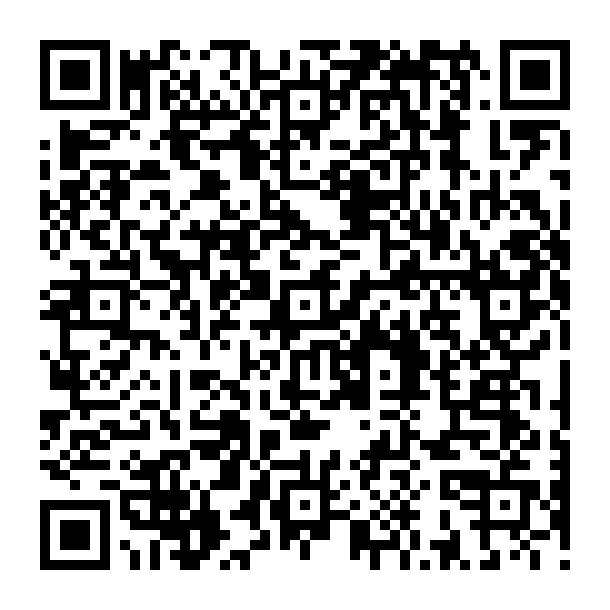
Open Downloads on your phone
Viewing this page on a computer or TV? Scan the QR code with your Android phone to open the official MY STREAMS PLAYER Downloads page, then choose Google Play or the correct manual APK for your device.
Which version should I choose?
- Compatible Fire TV Stick running Fire OS: use the 32-bit APK.
- Android phone, tablet or Android TV box: use the build that matches the device's application ABI.
arm64-v8auses 64-bit;armeabi-v7auses 32-bit. - Vega OS Fire TV device: do not assume the Android APK is compatible. Vega uses a different app platform/package format.
- Installing an update over an existing installation requires the same app signing certificate as the installed version.
NOT SURE? READ THE 32-BIT / 64-BIT GUIDE
How to use Downloader on a compatible Firestick
On Fire TV, open the Amazon Appstore and search for Downloader by AFTVnews. On compatible Android / Google TV devices, you can also open its official Google Play listing.
- Install the Downloader app from the Amazon Appstore if it is not already installed.
- Open Downloader.
- For a compatible Fire OS Fire TV Stick, enter the 32-bit code 2014799.
- Press Go and wait for the APK download to complete.
- If prompted, allow Downloader to install unknown apps.
- Select Install when the APK opens.
- Open MY STREAMS PLAYER from Your Apps & Channels.
Install on Android phone or tablet
Recommended: install from Google Play for the simplest installation and future updates.
If you specifically need manual installation, use the direct APK download above that matches your device ABI.
Updating an existing installation
Installation help
Firestick says “App not installed”
If this is a compatible Fire OS Fire TV Stick, make sure you are using the 32-bit APK. Also check available storage, restart the Firestick and delete any incomplete APK download before trying again. An update must be signed with the same certificate as the installed app.
I do not know whether my device is 32-bit or 64-bit
For a compatible Fire TV Stick running Fire OS, use the 32-bit build. For Android phones, tablets and Android TV boxes, check the device ABI or use our 32-bit vs 64-bit guide.
My Fire TV device uses Vega OS
The standard MY STREAMS PLAYER downloads on this page are Android APK files. Vega OS is a different application platform and uses a different native package format, so these APK instructions are not intended for Vega OS devices.
Will updating remove my provider settings?
No, provided you install the update over the existing app and do not clear app data or uninstall first.
Do I need Downloader on a phone or tablet?
No. Downloader is mainly useful for Firestick and Android TV devices. On phones and tablets you can normally download the APK directly from this page using your browser.
Need help?
For complete instructions, see the full MY STREAMS PLAYER manual. For support, visit the Support page or email support@mystreamsplayer.com. Include your Device ID, app version, device model and a screenshot where possible.